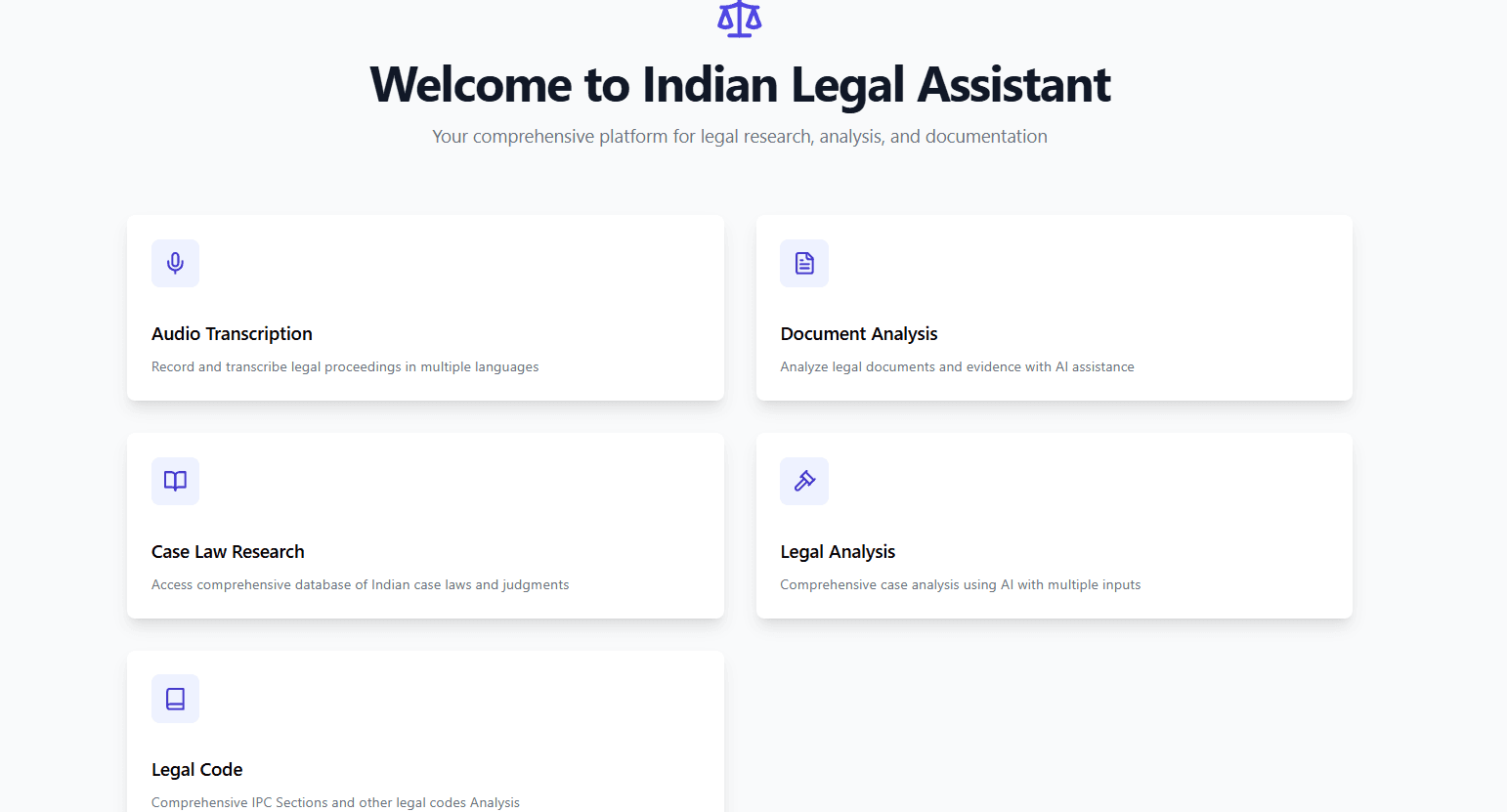
🏛️ Indian Legal Assistant
A comprehensive AI-powered platform for legal research, analysis, and documentation focused on Indian law


📋 Overview
Indian Legal Assistant is a modern web application designed to assist legal professionals and individuals with intelligent legal research, case analysis, and documentation. The platform leverages AI and modern technologies to provide comprehensive legal assistance across various domains of Indian law.
✨ Key Features
🎙️ Audio Transcription
- Multi-language support (English, Hindi, Telugu)
- Real-time audio recording and processing
- AI-powered summarization of legal conversations
- Secure storage and retrieval
📄 Document Analysis
- PDF and text document processing
- AI-powered legal document analysis
- Text extraction and intelligent insights
- Secure document storage
⚖️ Case Law Research
- Integration with Indian Kanoon API
- Comprehensive case law database search
- Detailed case information and citations
- Search history management
🔍 Legal Analysis
- Multi-source input processing (documents, audio, text)
- AI-generated comprehensive case analysis
- Applicable sections and legal requirements
- Similar case recommendations
📊 Additional Features
- Legal Code Analysis: IPC section search and related sections
- Interactive Flowcharts: Guided legal process navigation
- Crime Data Visualization: State-wise crime statistics on interactive map
- Legal News: Latest legal news and updates
🛠️ Tech Stack
Frontend
- Framework: React 18 with TypeScript
- Build Tool: Vite
- Styling: Tailwind CSS
- Routing: React Router
- Notifications: React Hot Toast
- Document Processing: PDF.js
- Audio: React Media Recorder
- AI: Google Generative AI
Backend
- Server: Express.js on Node.js
- API Client: Axios
- CORS: Enabled for cross-origin requests
- Environment: dotenv management
Database & Storage
- Platform: Supabase
- PostgreSQL database
- User authentication
- File storage
- Real-time subscriptions
External APIs
- Indian Kanoon API (Case Law)
- World News API (Legal News)
- Google Generative AI (Analysis)
🏗️ Architecture
src/
├── api/          # API integration layer
├── components/   # Reusable React components
├── context/      # React context providers
├── data/         # Static data and constants
├── hooks/        # Custom React hooks
├── lib/          # Utility libraries
├── pages/        # Page components
├── services/     # Service layer
├── types/        # TypeScript type definitions
└── utils/        # Utility functions
🗄️ Database Schema
Tables
- audio_transcripts: Audio recordings with transcriptions and summaries
- documents: Uploaded documents with extracted text and analysis
- case_analysis: Comprehensive legal case analyses
- case_searches: Case law search history and results
Security
- Row Level Security (RLS) enabled on all tables
- User-specific data access policies
- Secure file storage with user-specific buckets
- Environment variable protection
🚀 Getting Started
Prerequisites
- Node.js (v16+)
- npm (v7+)
- Supabase account
- Google AI API key
- World News API key
- Indian Kanoon API token
Installation
-
Clone the repository
git clone https://github.com/akhilathuluri/Indian_Legal_Assistant.git cd Indian_Legal_Assistant -
Install dependencies
npm install -
Environment setup Create a
.envfile:VITE_SUPABASE_URL=your_supabase_url VITE_SUPABASE_ANON_KEY=your_supabase_anon_key VITE_GOOGLE_AI_KEY=your_google_ai_key VITE_WORLDNEWS_API_KEY=your_worldnews_api_key VITE_INDIANKANOON_API_TOKEN=your_indiankanoon_api_token -
Database setup
- Create a Supabase project
- Run migrations from
supabase/migrations - Set up storage buckets
-
Run development server
npm run dev -
Build for production
npm run build
💡 Use Cases
- Legal Professionals: Research case law, analyze documents, and manage legal documentation
- Law Students: Study legal concepts, explore case precedents, and understand legal procedures
- General Public: Access legal information, understand rights, and navigate legal processes
🔐 Security Features
- Authentication via Supabase
- Row-level security policies
- Secure API key management
- User-specific data isolation
- CORS protection
📈 Project Highlights
- Full-stack development with modern TypeScript and React
- AI integration for intelligent legal analysis
- Real-time features with Supabase subscriptions
- Responsive design with Tailwind CSS
- API integration with multiple external services
- Secure architecture with comprehensive data protection
🤝 Contributing
Contributions are welcome! Please follow these steps:
- Fork the repository
- Create a feature branch
- Commit your changes
- Push to the branch
- Create a Pull Request
📝 License
This project is licensed under the MIT License - see the LICENSE file for details.
🔗 Links
- Live Demo: indian-legal-assistant.vercel.app
- Repository: github.com/akhilathuluri/Indian_Legal_Assistant
Built with ❤️ by Akhil Athuluri